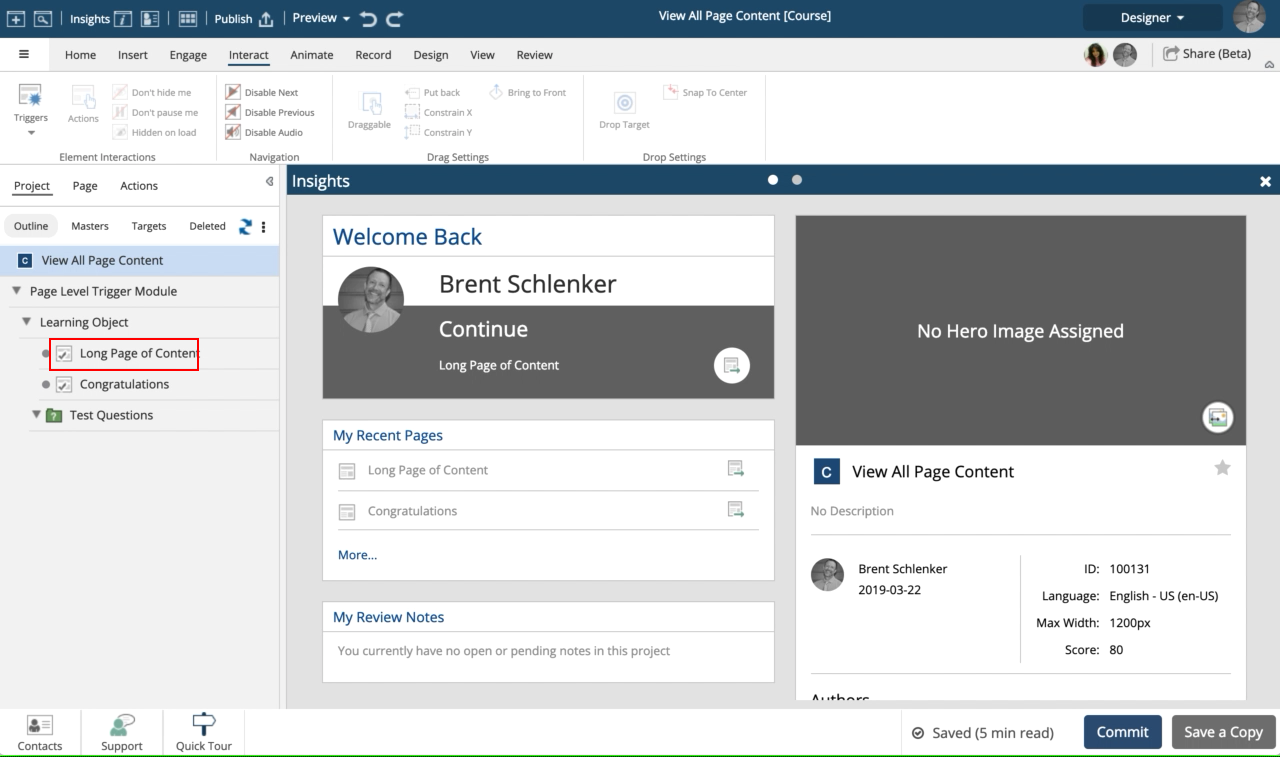
In Flow you can have long pages of content for your users to scroll through. If you want to guarantee that they have seen all of the content on a long scrolling page, then you can apply the "Is Compete" Trigger to the page. In this simulation we will apply the "Is Complete" Trigger to the page and use the Enable Next action to allow the user to use the next button to move on.
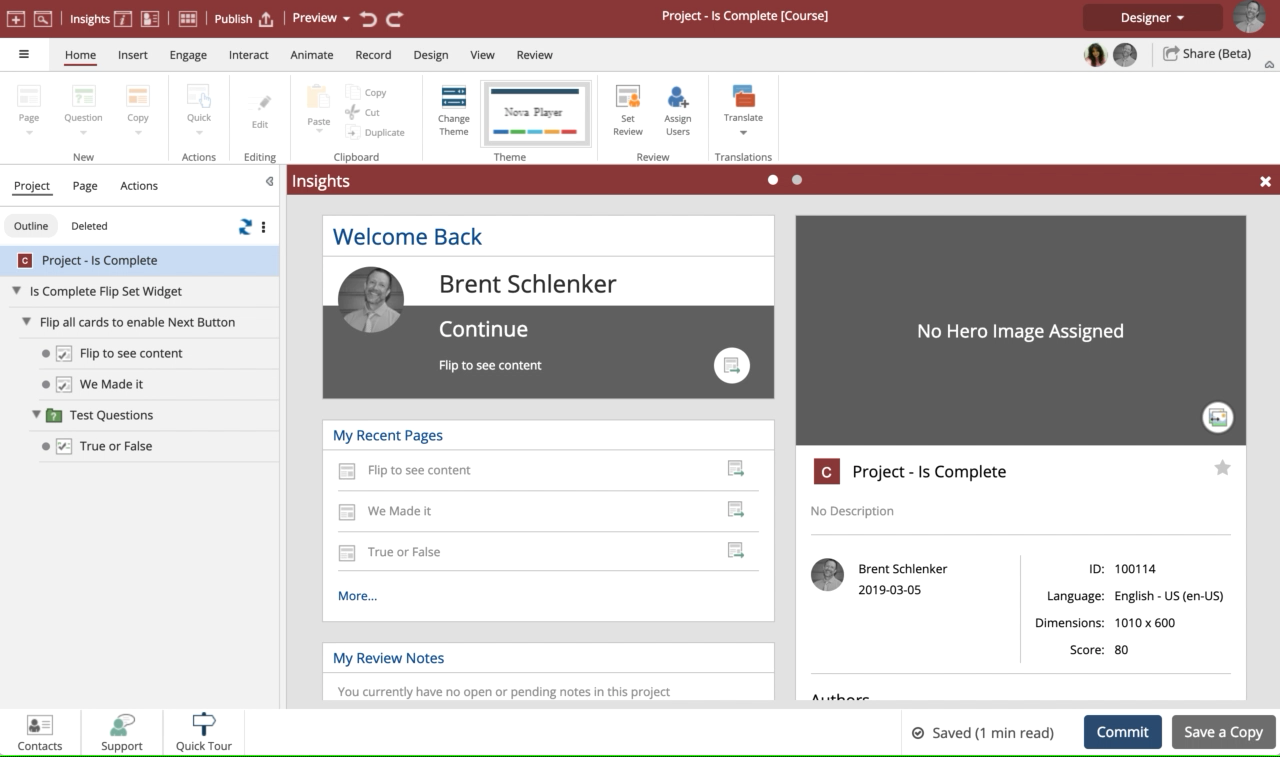
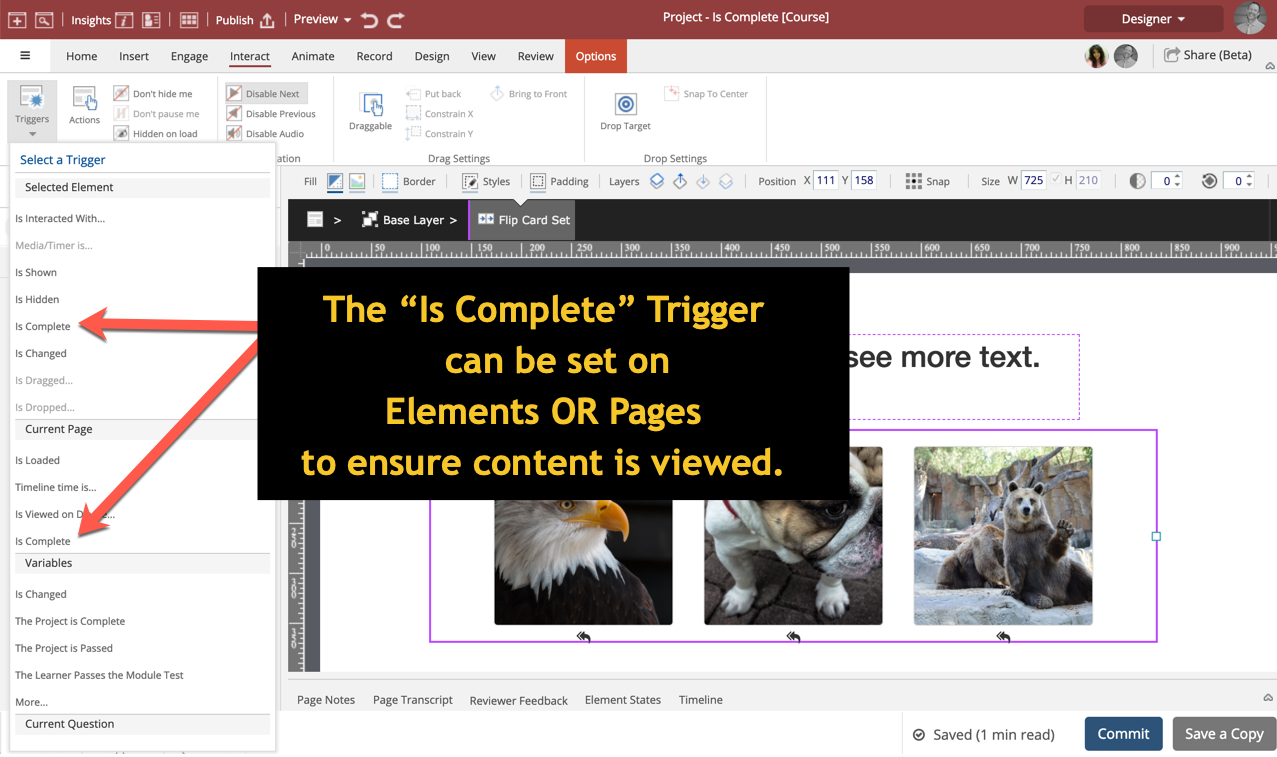
In this simulation you'll see how to setup a Flip Set widget that must be viewed by the learner in order to continue on to the next page. We'll accomplish this by selecting the widget and adding the "Is Complete" Trigger to it. We'll also set the Disable Next player setting.
If I'm using the page variable 'Is Complete' to stop people advancing to the next page until they have completed all content on a page, is there a way to show them which elements are still incomplete when they click the locked 'Next Page' button e.g. is there a variable to enable setting an action like:
On Click > Condition: Variable 'Is Complete' != true > Show Pop Up > "You have not completed {{Incomplete Elements}}
Hi. I need to "force" completion of interactive elements on pages where they exist and I'm not sure how to show that an interaction (like a series of hotspots) has been fully interacted with and remains incomplete and prevent learners from advancing to the next page until that interaction is completed. I noticed that just accessing a page allows you to advance to the next---you don't actually have to interact with the elements/complete them to move on. I see that I can add a trigger to set u...
How do I get a page to remain in the completed state (i.e. inline question answered, tab viewed action complete, audio played) if I navigate back to it for a second time. I have an inline question in a module that I would like to remain complete if a learner navigates back to that page after having completed the question correctly. I also have narration that plays that I would like to not play if navigated back. Is this possible?
Is there a way to add a trigger to every page in a project at once? I'm attempting to add javascript that is triggered on page load for every page in a course (after the course was already completed - this is for a migration effort). The only way I can find to do this is adding them one at a time to each page, which is painfully time-consuming.
On page load, I show a grey (intactive) next button and I hide the active blue next button. When page activities are complete, the grey next button will be hidden and the active blue next button will show. The problem I am running into is after the learner completes this page, goes on to the next page, decides to go back to the page--both grey and blue buttons are showing. What I want to happen is this:
Going forward for the first page visit, the grey button shows/active button hides...
How do you trigger a show action for an icon that is on one page, but the trigger action is the completion of another page?
I selected the page > clicked Trigger > When this page is completed > Show Action > then the only items I can select are on the same page that I am using as a trigger. I can't figure out where to select an image on another page to show on completion. The search only returns items on the same page, too.
Do I have to create a custom variable or am I miss...
Confirm
Comments ( 0 )
Sign in to join the discussion.