Easily copy a Project as separate duplicate or as a shared copy that synchronizes content updates
There are no projects that fit your search criteria.
Easily copy a Project as separate duplicate or as a shared copy that synchronizes content updates
Training Guide for new authors in dominKnow | ONE's Flow authoring option. This guide is for the 7.4.6.X release series.
The activities in this training guide will help you become familiar with the basics of working in a Presentation (Claro) project as well as working in dominKnow | ONE in general. The activities in this guide are based on dominKnow | ONE 7.4.6.X. release.
How can I attain valid CURRENT training using Dominknow One. This material is very outdated and I will need to be proficient with this tool for may employer. The software has evolved, but not the training.
A simple design element to control vertical spacing or use as a design element
Enjoy quick access to menu items, the container inspector options and more!
Quick access to add elements over the image, formatting, editing, actions and more
Quick access to formatting, editing, actions and more
Transcripts can help improve the accessibility of the content you create in dominKnow | ONE
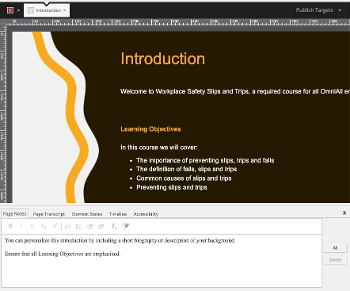
This multi-purpose feature can help with authoring or serve as speaker notes for presentations
Quickly and easily add Elements to a Claro page or Sections to a Flow page
Easily view the page more closely to its published design while authoring
A simple way to declutter your page
Create unique and engaging learner experiences by showing Target Pages as content in a modal window over your main page
My quiz questions are appearing in a random order but they need to stay in the order i have them set up in the outline. Is there a way to turn off the randomization?